Manage the designers page
Audience: operators · Scope: the Designers screen · Last reviewed: 2026-07-12
What this does — Manages the people shown on the public Designers page — the designers behind Beta-Calco's product families.
Before you start
- Be signed in — see Log in to the admin area.
- Have the designer's name, a photo, and a short bio ready.
Steps
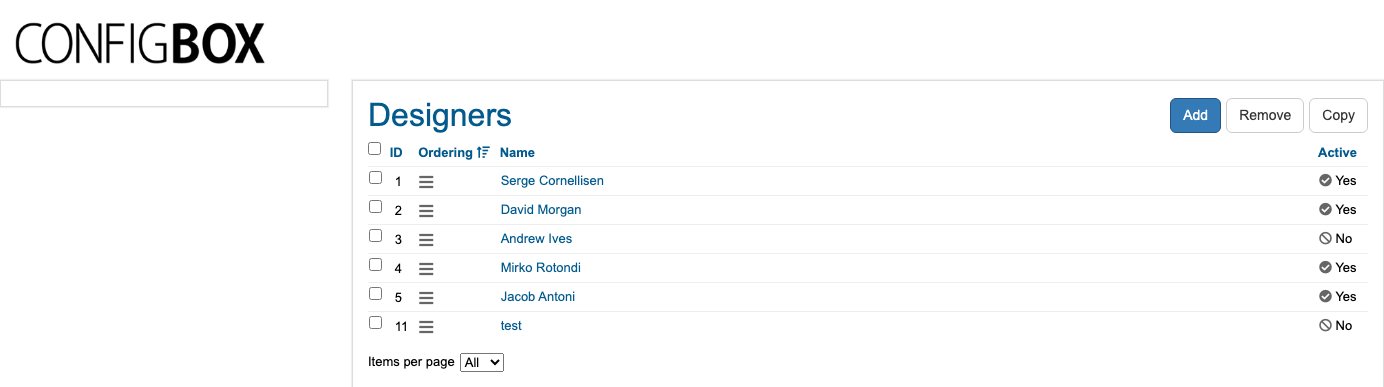
- Click Designers in the menu. The list shows each designer's Name and whether they're Active.
- Click Add (or a name to edit it).
- Fill in the designer's details — name, photo, and biography — then set Active to Yes.
- Click Save. Use the drag handle on the list to set the order.
What happens next
- Active designers appear on the public Designers page in the order set on the list.
Good to know
- Active: No hides a designer without deleting them.
- Designers connect to the product families they created — if a designer's products look wrong on the site, check the family's Designer setting under Products & configurator → families.
Screens and labels can differ slightly between environments — if a label doesn't match what you see, check with your Beta-Calco contact.