Sales tools & your account
Audience: sales agents · Scope: the Sales Tools, Resources, and My Profile screens · Last reviewed: 2026-07-21
What this does — The odds and ends around quoting: the collateral you hand to customers, the warranty form, and your own login details.
Sales Tools — downloads
Open Sales Tools from the My Beta Calco menu. It's a downloads page of sales and marketing collateral, grouped into columns — Brochures (Web), one per product family, and Beta-Calco Logos in several file formats.
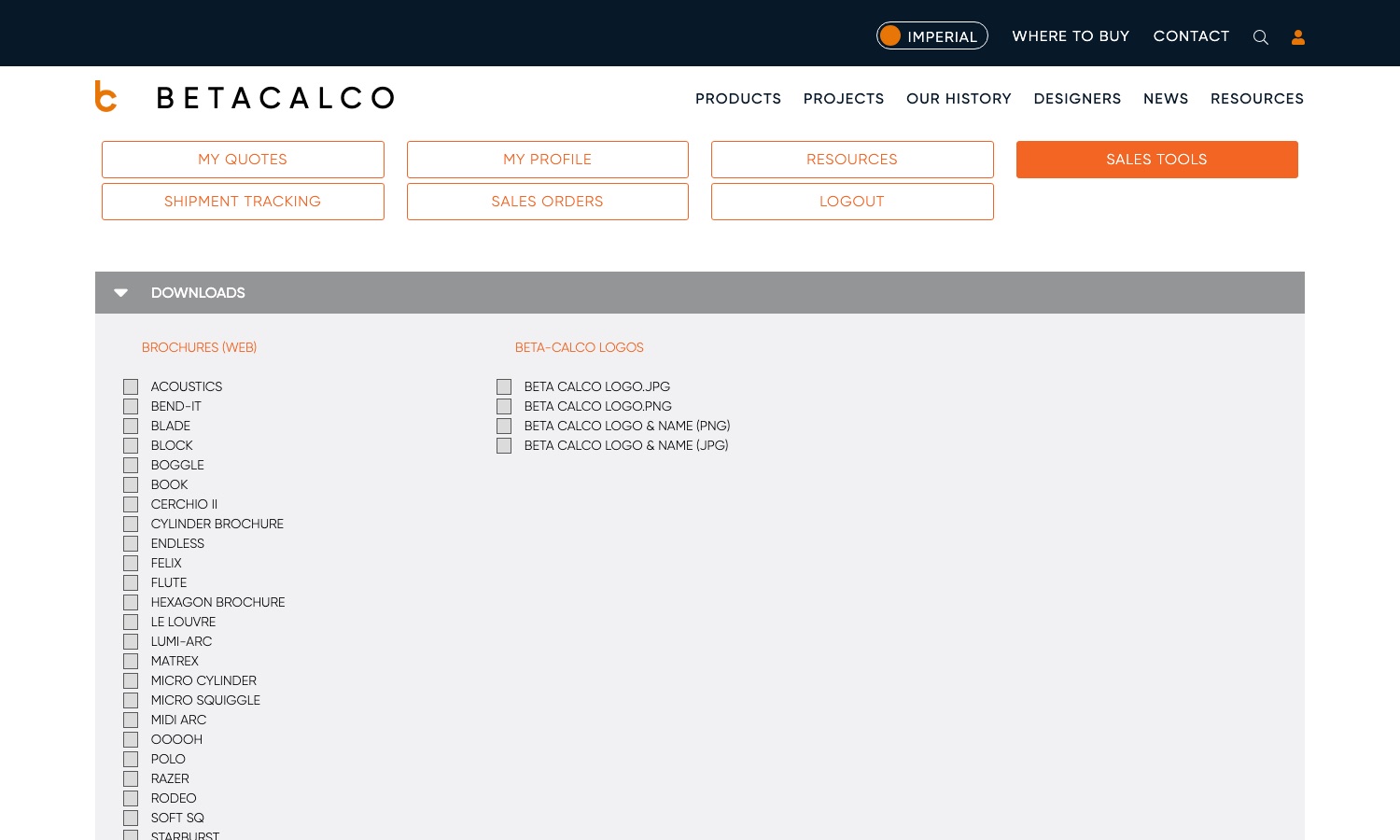
Each item has a tick box, so you can take several at once rather than one at a time: tick everything you need — across both columns — then click Download.
Resources — warranty form
The Resources link (in the My Beta Calco menu) is where you submit a Warranty Form — use it to start a warranty claim or request for a customer. Fill in the fields and submit.
My Profile — your login details
Open My Profile to keep your own account current:
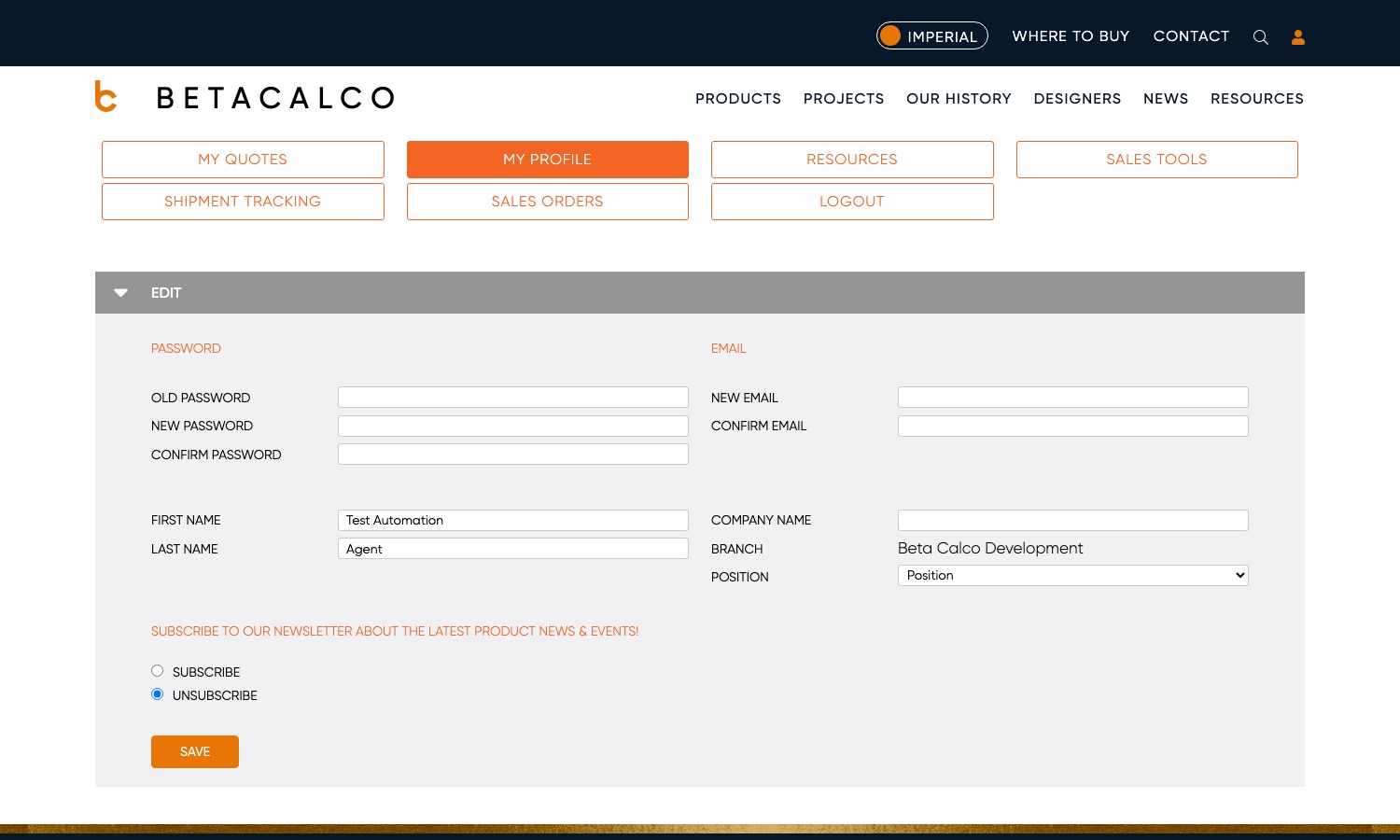
- Password — change it by entering your old password and the new one twice.
- Email — change your sign-in email (enter it twice to confirm).
- Name, Company, and Position — your details; Position is a dropdown (Outside Sales, Specification Sales, Quotations, and so on).
- Newsletter — subscribe or unsubscribe from product news.
Click Save to apply changes.
Branch is shown but can't be edited. It appears as plain text next to Company Name, because your branch determines which orders and pricing you see — it's set by Beta-Calco, not by you. If it's wrong, ask your Beta-Calco contact to change it rather than working around it.
Good to know
- Downloads are the public/latest assets. Sales Tools serves current brochures and logos — grab them fresh rather than reusing old copies.
- Changing your email changes how you sign in. After updating it, use the new email to log in next time.
- Forgotten password? Use Forgot your password? on the login screen rather than asking someone to reset it for you.
Screens and labels can differ slightly between environments — if a label doesn't match what you see, check with your Beta-Calco contact.