Manage commission tiers
Audience: operators · Scope: Commission Tiers and Commission Tiers Import · Last reviewed: 2026-07-12
What this does — Commission tiers define the commission rates that apply to sales (for example a Decorative tier at 12.5%, a Buysell tier at 25%, Specifiers at none). You can edit tiers by hand, or refresh them in bulk from a spreadsheet with the import.
Before you start
- Be signed in — see Log in to the admin area.
- The menu has two related entries: Commission Tiers (the tiers themselves) and Commission Tiers Import (the bulk refresh).
Edit tiers by hand
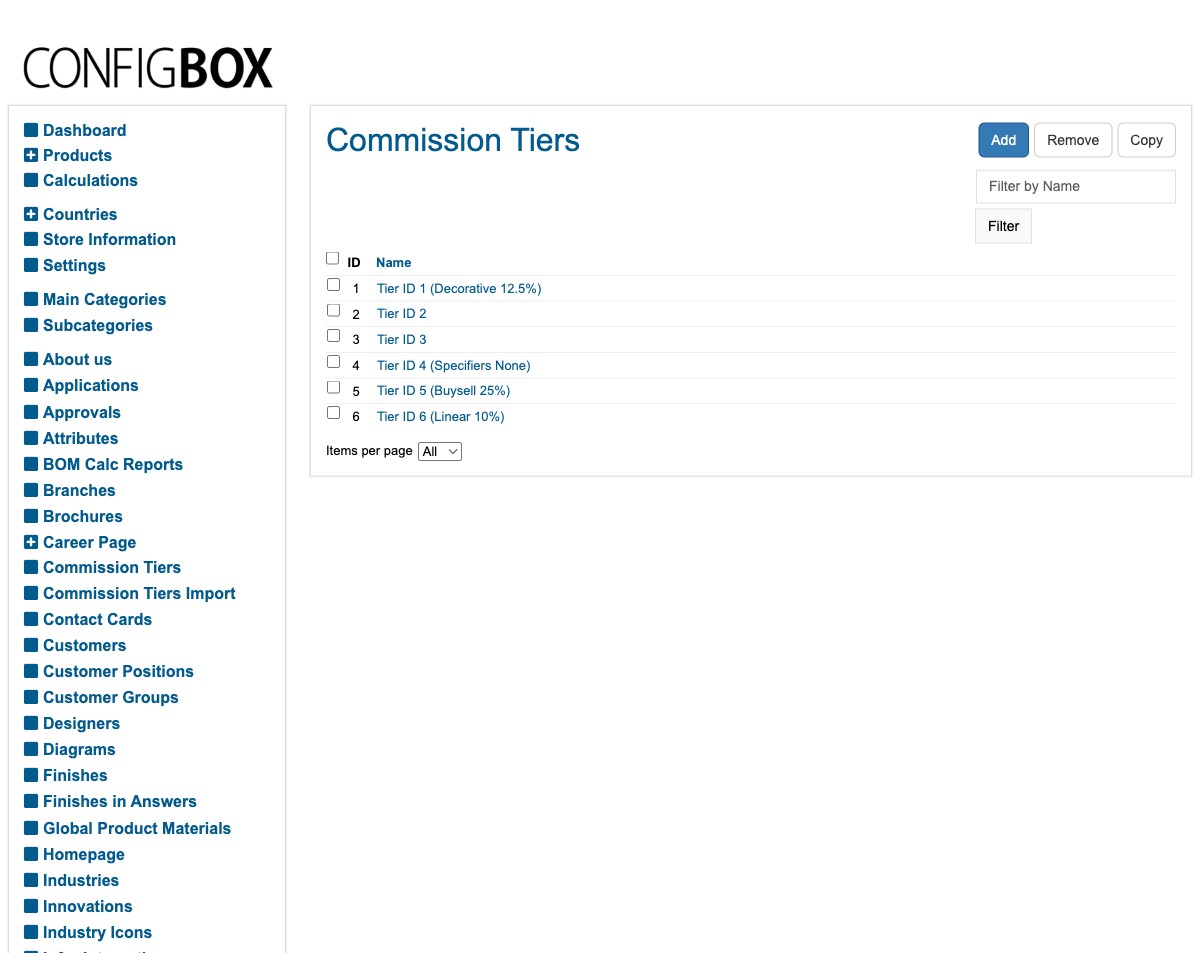
- Click Commission Tiers in the menu. Each row is a named tier (its rate is usually noted in the name, for example Tier ID 1 (Decorative 12.5%)).
- Click Add to create one, or a tier to edit its rates, then Save.
Refresh tiers from the spreadsheet
When the commission structure is maintained in a master spreadsheet, use the import rather than editing each tier by hand.
- Click Commission Tiers Import in the menu.
- Run the import (it reads the configured spreadsheet and updates the tiers to match).
- Check the Commission Tiers list afterwards to confirm the rates look right.
What happens next
- The updated tiers apply to commission calculations on sales going forward.
Good to know
- Import mirrors the spreadsheet. If a commission rate looks wrong after importing, fix it in the source spreadsheet and re-run — don't hand-edit a tier that the import will overwrite next time.
- Not sure which tier applies to whom? Tiers are matched by customer/product type — check with your Beta-Calco contact before changing rates, as they affect what the sales team is paid.
Screens and labels can differ slightly between environments — if a label doesn't match what you see, check with your Beta-Calco contact.