What the follow-up email link does
Audience: operators & sales · Scope: the no-login follow-up landing page · Last reviewed: 2026-07-31
What this does — Explains the follow-up link — the link in a follow-up email that lets a sales agent update a quote in about 30 seconds, without logging in. Knowing what it does helps you support agents and understand where the follow-up data comes from.
What the agent sees
The link opens a simple, mobile-friendly page for one quote. It opens with a quote summary — the quote name, its serial, how long ago it was quoted, the line items and the total — so the agent knows which quote they're being asked about before they answer.
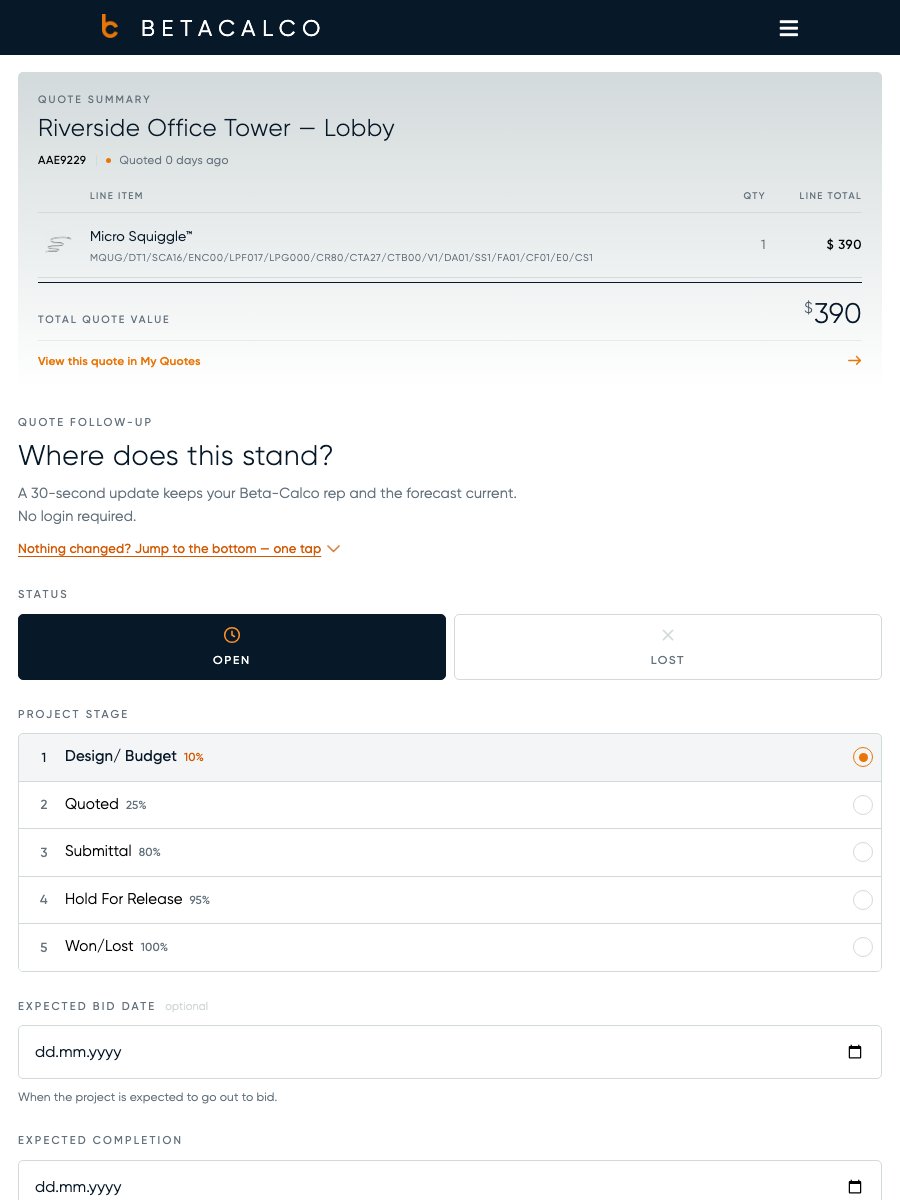
Without signing in, the agent can set:
- Status — is the quote still open, lost, or won? (There's no "Won" button — a quote becomes won when the agent picks the stage that's flagged as the won stage.)
- Project stage — where the project is in the pipeline (the stages come from Pipedrive — see Import the follow-up stages).
- Expected bid date and expected completion date.
- Comments — free-text notes.
If they pick Lost, a reason is required; picking "Other" also asks them to type a short explanation, and that typed text is what's sent to Pipedrive as the lost reason. The page also shows the agent their other open quotes so they can do a quick round in one visit.
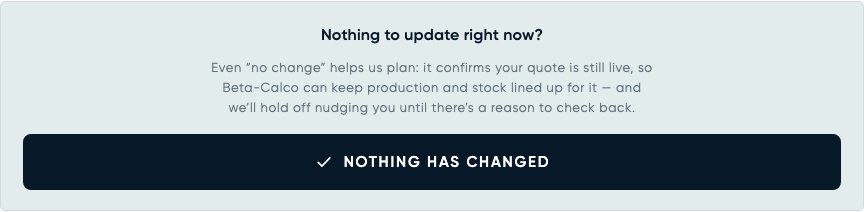
There's also a Nothing has changed button, below the form and linked from the top of the page. It records "still live, no change" in one tap — no fields to fill in. That is a real answer, not a way of skipping: it confirms the quote is still active and pauses the nudges, so encourage agents to use it instead of ignoring the email.
The page shows a "Secure link · expires in N days" note above the submit button and again at the foot, where N is the configured link lifetime — so the note stays in step if you change it (set the lifetime to 0 and it reads "does not expire" instead).
What happens next
- The update is saved and flows to Pipedrive automatically (status, stage, dates, and the comment as a note) — see How the sync works. The bid date is the exception: it's kept for the tracking sheets but not sent to Pipedrive.
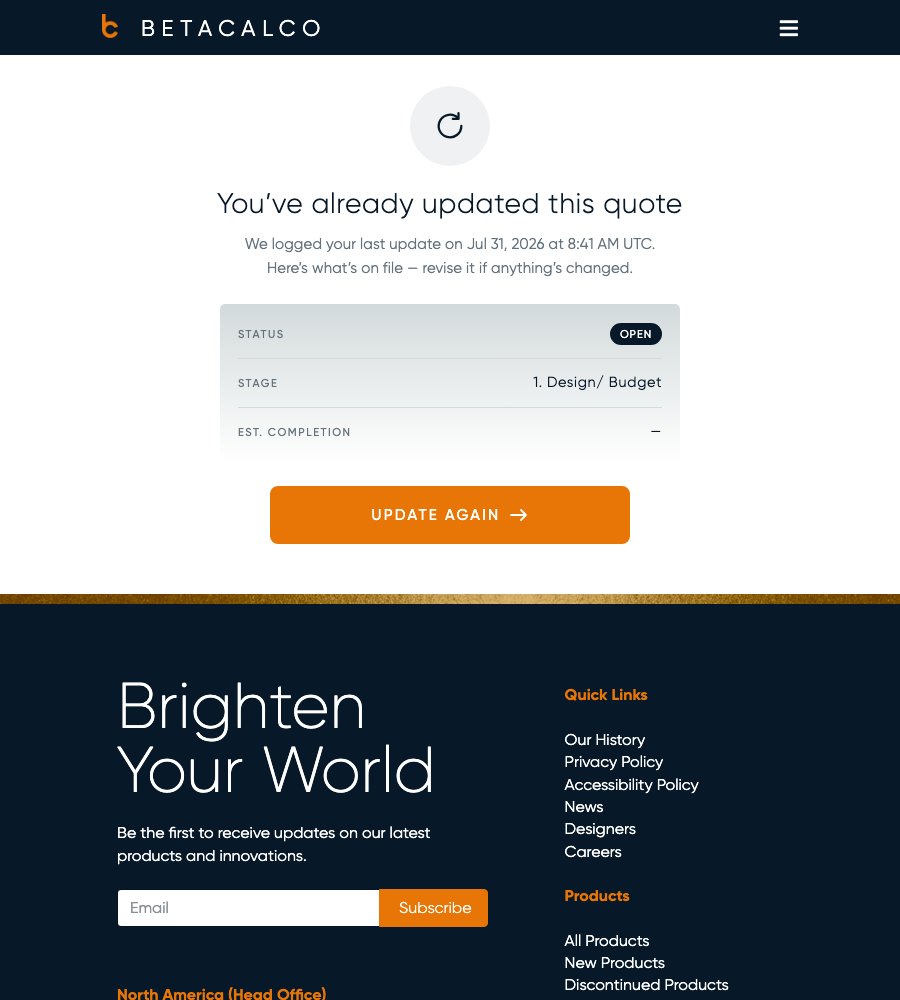
- Next time the agent opens the link, the page shows a recap of what they submitted, with an "update again" option.
Good to know
- The link is not a login. It authorises the agent to update their own follow-up quotes — it deliberately does not log them into the portal, because follow-up emails can be forwarded.
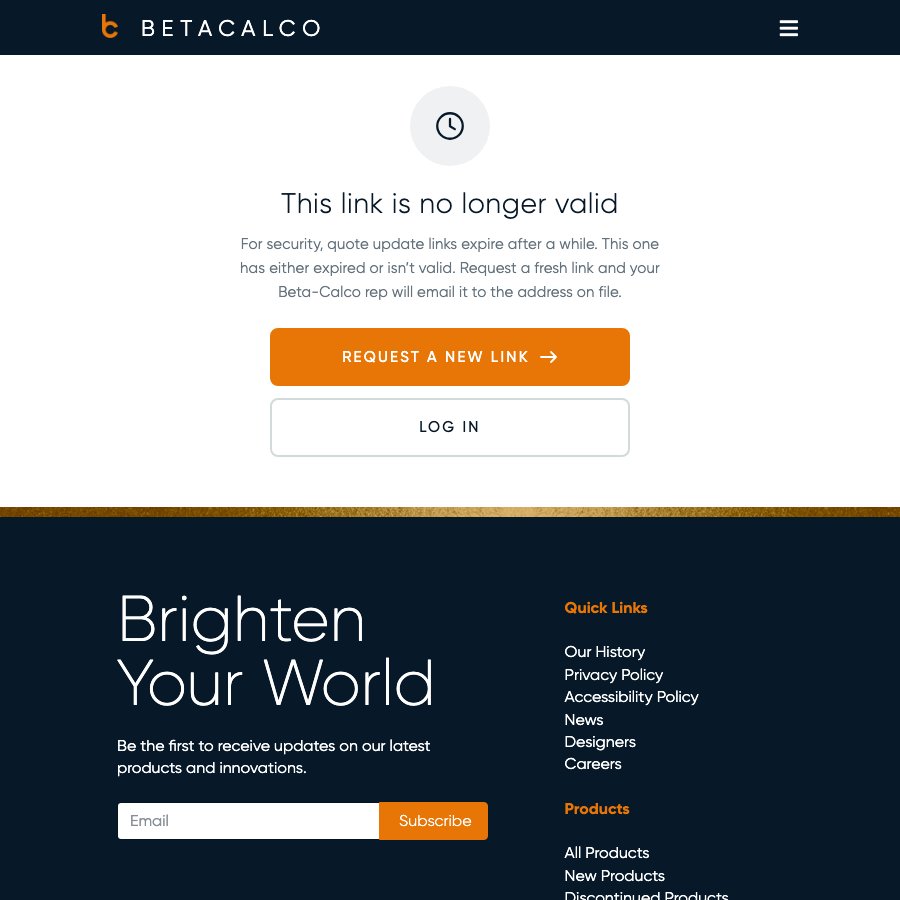
- Links expire. After a set number of days the link stops working. If an agent says the link is "no longer valid", it's expired or wrong — the screen they see has a "Request a new link" button (emails a fresh one to the agent on file) and a "Log in" button.
- How long links last is a setting — see Set how long follow-up links last below.
- Stages must be imported first, or the stage picker is empty — see Import the follow-up stages.
Set how long follow-up links last
- Go to Custom Settings → Quote Follow-ups.
- Find the follow-up link lifetime (days) setting and set the number of days a link stays valid.
- Save. It takes effect immediately, including for links already sent — and the "expires in N days" note printed on the follow-up page updates to match.
Screens and labels can differ slightly between environments — if a label doesn't match what you see, check with your Beta-Calco contact.
For developers → docs/quote-follow-up/README.md.