Change how often a quote reminds you (nudge cadence)
Audience: operators · Scope: set the follow-up "nudge" cadence on a pipeline stage · Last reviewed: 2026-07-24
What this does — Sets how many days a quote can sit in a given deal stage before it lands on the "due for a nudge" list (the nudge sheet your reminder workflow reads). You set it per stage, and separately for small / mid / large quotes, so bigger deals get chased sooner.
Before you start
- You need access to the ConfigBox backend settings, and the stages must be imported first.
- Decide which stage you're changing and how many days each quote size should wait.
Steps
The Nudge days columns live on the imported-stages list, and you edit them on each stage:
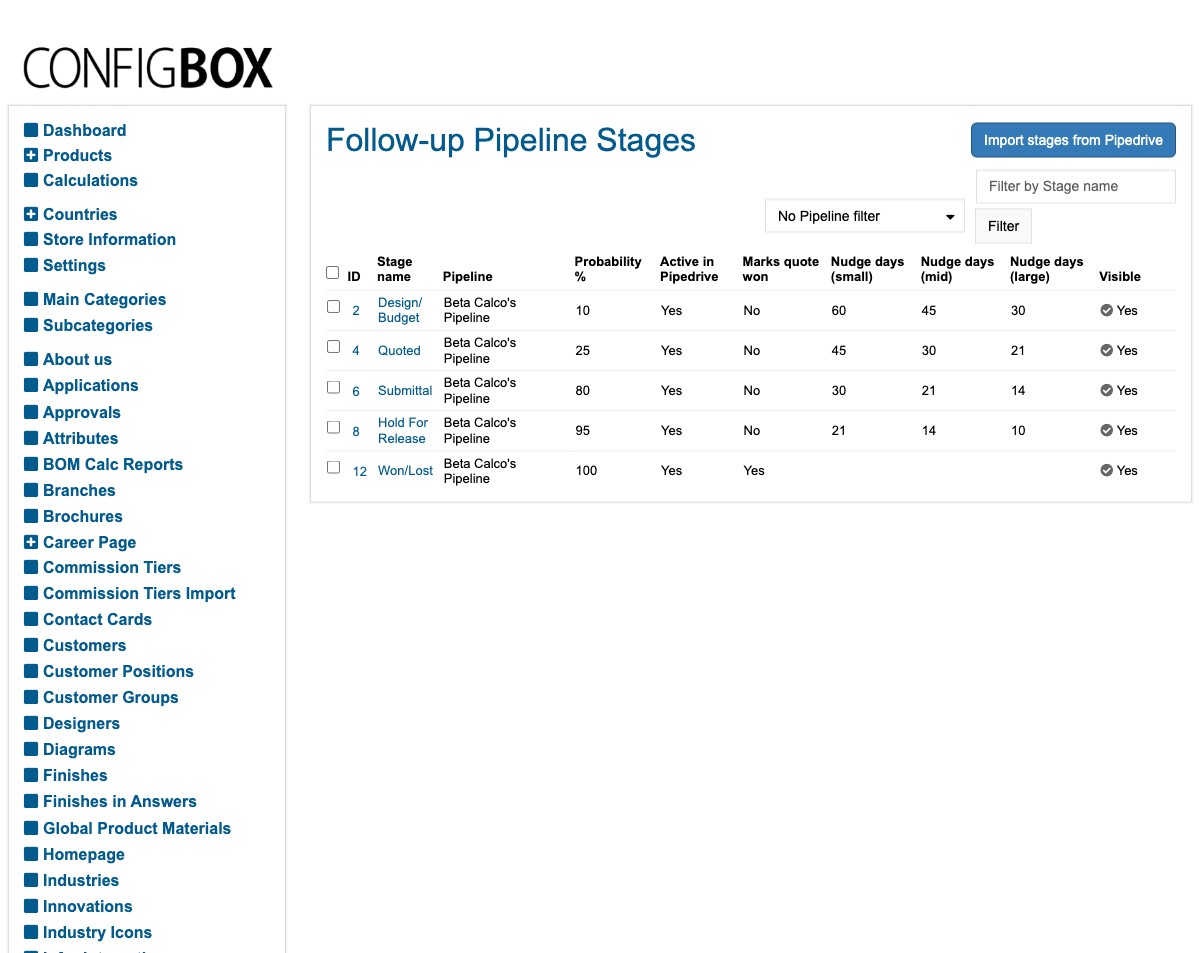
- Go to Custom Settings → Quote Follow-ups → Imported Pipedrive Stages.
- Open the stage you want to change.
- In the Follow-up settings group, find Nudge days — small / mid / large.
- Enter the number of days for each quote size. Leave a box blank to mean "never nudge for this size."
- Save.
What happens next
- The next time the nudge list is rebuilt (it runs on a schedule, not instantly), quotes that have sat in that stage longer than the days you set appear on the list, and quotes that no longer qualify drop off.
- Whether a quote counts as small / mid / large is decided by its value against the thresholds in the Quote Follow-ups settings.
Good to know
- Blank = no nudge for that size — use it for stages you don't chase (for example, a booked or in-production stage).
- Your cadence numbers are kept when stages are re-imported from Pipedrive. A re-import only refreshes the Pipedrive-owned details (like the stage's name and order), not your follow-up settings.
- Changes take effect on the next scheduled run, so give it a little time before checking the sheet.
Screens and labels can differ slightly between environments — if a label doesn't match what you see, check with your Beta-Calco contact.