Review BOM fetch-fail reports
Audience: estimating / engineering staff · Scope: the BOM Calc Reports screen · Last reviewed: 2026-07-21
What this does — When the system tries to fetch a product's bill of materials from Infor and can't, it records the failure here. This screen is the list of those failures, so someone can look into the products that didn't calculate.
Before you start
- Be signed in — see Log in to the admin area.
Steps
- Click BOM Calc Reports in the menu (it's also in the Infor Integrations group). The screen's own heading reads BOM Fetching Fail Reports — same thing.
- Each row is a failure, with the Product, a Failure Keyword (a short reason, for example configuration), the CPQ Detail ID, when it was reported, the line item mod date, and a Status (for example Open).
- Use the three dropdown filters — Product, Failure Keyword, Status — or type into Filter by Details for a free-text search, then click Filter (see Search and filter a list).
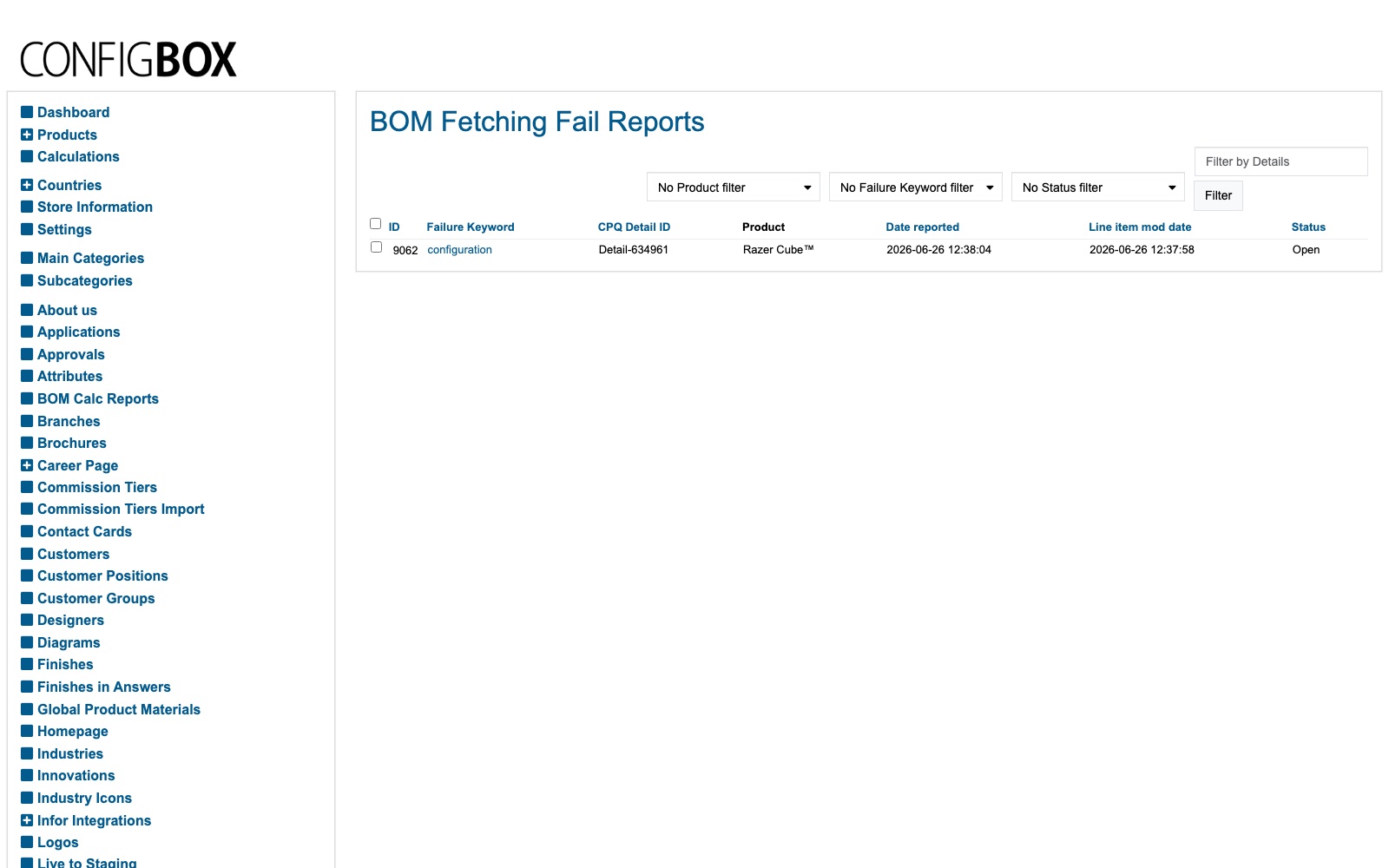 4. Work through the Open ones: the keyword and product tell you which configuration failed to build a BOM,
so it can be corrected in the product or in Infor.
4. Work through the Open ones: the keyword and product tell you which configuration failed to build a BOM,
so it can be corrected in the product or in Infor.
What happens next
- Fixing the underlying product/Infor issue lets the BOM build next time. The report is a to-do list of things that need attention, not something the site acts on by itself.
Good to know
- Filter by Status = Open to see what still needs work.
- The Failure Keyword is the clue — it summarises why the BOM couldn't be fetched.
- This is a diagnostic list — it doesn't change prices or products; it points to the ones that need fixing.
Screens and labels can differ slightly between environments — if a label doesn't match what you see, check with your Beta-Calco contact.