The BOM & costing tools (specialist)
Audience: estimating / engineering staff · Scope: the Infor Integrations tools · Last reviewed: 2026-07-21
What this does — These tools pull data from the Infor system to produce bills of materials (BOMs — the parts that go into a product) and margin/costing spreadsheets. They're specialist — used by estimating and engineering, not everyday admin. This article explains what each one is for.
This is specialist territory. If you haven't been asked to use these tools, you don't need them. The numbers they produce feed cost and margin decisions, so use them under guidance.
Before you start
- Be signed in — see Log in to the admin area.
- Open the Infor Integrations group in the menu.
The tools
-
CPQ BOM Tool — paste product configuration codes (one per line) and click Process to get an Excel spreadsheet of the full bill of materials. It asks Infor CPQ for the top-level items and expands them five levels deep into their component materials. The box shows the expected format as placeholder text (
WPML/SFA/FADES/EAD) — slash-separated codes, one configuration per line.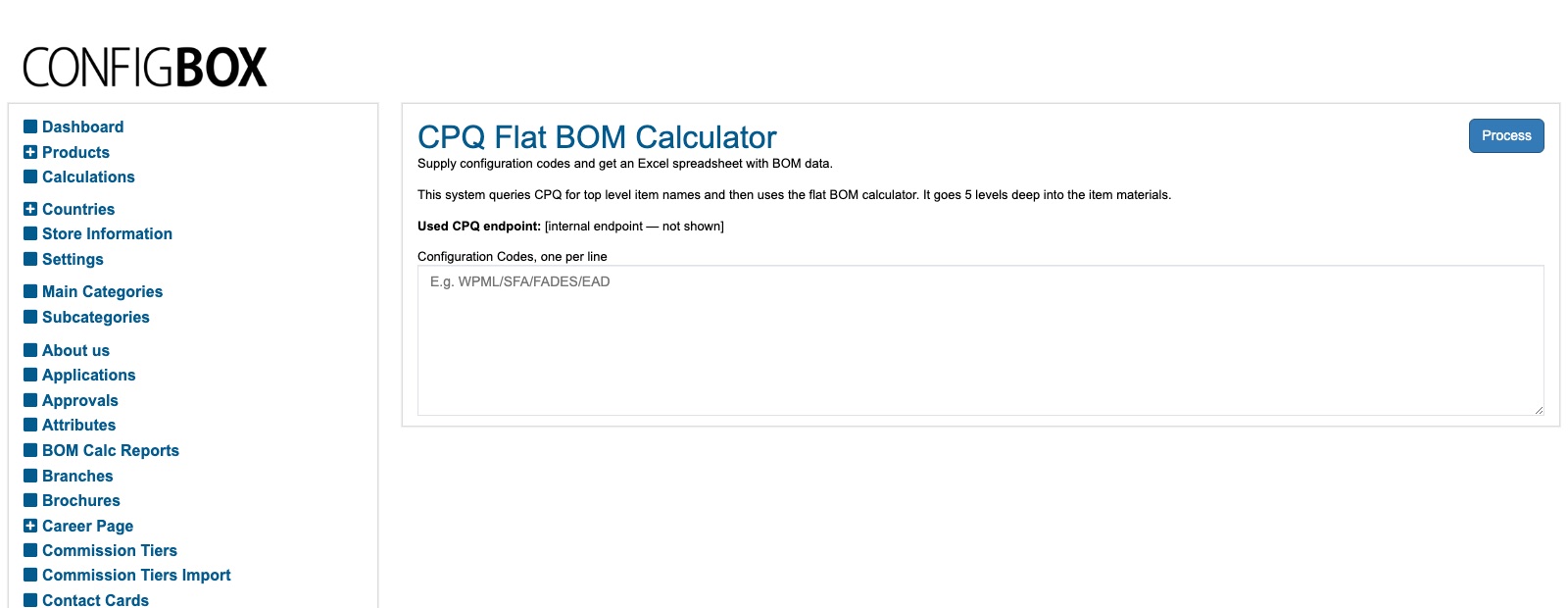
-
Flat BOM Fresh — builds a flat (single-list) BOM by querying Infor live. Use it when you need the very latest data and don't mind waiting for the query.
-
Flat BOM Cached — the same flat BOM, but built from stored data. It's faster, at the cost of being as current as the last refresh. Use it for speed when up-to-the-minute isn't essential.
-
Margin Analysis Tool — produces a costing / margin spreadsheet. You set the inputs it uses — the CAD/USD exchange rate, the default assembly and fabrication hourly rates (and any work-centre- specific rates), and which customer group's pricing to fetch — then Process.
What happens next
- Each tool produces a spreadsheet (or on-screen result) you download and work from. Nothing on the live site changes — these are analysis/estimating tools.
Good to know
- They depend on Infor. If a tool errors or comes back empty, the Infor connection is the usual cause, not your input. Note the message and check with your Beta-Calco contact.
- Fresh vs. Cached is a speed-vs-currency trade-off — Fresh is current but slower, Cached is fast but only as new as the last refresh.
- Margin inputs matter. The exchange rate and labour rates drive the numbers — use the agreed values, not guesses.
- When BOMs won't build, the failures are listed under BOM fetch-fail reports.
Screens and labels can differ slightly between environments — if a label doesn't match what you see, check with your Beta-Calco contact.