Log in to the admin area
Audience: operators · Scope: signing in to the Beta-Calco admin (backend) · Last reviewed: 2026-07-21
What this does — Gets you into the admin area (the backend) where you manage the website content, the product catalog, quotes, and settings. It's the same Beta-Calco website the public sees, but the admin area is a separate set of screens that only staff accounts can open.
Before you start
- You need a staff account with admin permissions. A normal customer or sales-agent login will not open the admin area. If you're not sure whether your account has admin rights, ask your Beta-Calco contact.
- Ask your Beta-Calco contact for the admin web address and save it as a browser bookmark — that's how you get back in each day. It's on the normal Beta-Calco site, just a different page (the "Dashboard").
Steps
-
Open the Beta-Calco website in your browser.
-
Sign in with your staff account: click the account icon in the top-right of the header (the little person). A Login panel opens — enter your Username and Password and click Sign In.
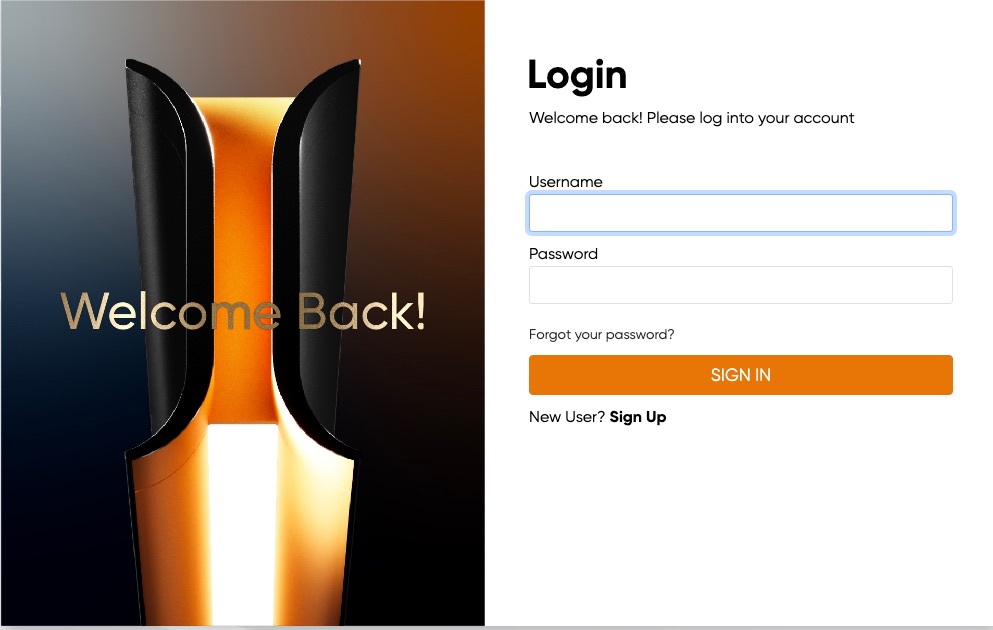
The field is labelled Username, but your email address works too. Ignore New User? Sign Up — that's for customers registering themselves; staff accounts are created for you.
-
Go to the admin address you bookmarked. You'll land on the ConfigBox Dashboard — a page headed CONFIGBOX with a menu down the left side.
That's it — you're in. From here, see Find your way around the admin area.
What happens next
- The Dashboard shows a quick health check, the software version, and news from the configurator vendor. You don't need to act on any of it — it's just a status page.
- The menu on the left is your way into everything else. It stays on screen as you work.
Good to know
- The admin area is the same website, not a separate app. If you ever get bounced back to the normal public site, you've probably been signed out — sign in again and reopen your admin bookmark.
- Sign out the same way you signed in — through the account menu — when you're done on a shared computer.
- If you manage quotes as a sales agent as well, that's a different area ("My Beta Calco"), reached from the account menu. The admin area covered here is for managing the site and its data.
Troubleshooting
- You open the admin address but get sent to the login page or the public homepage. You're either not signed in, or your account doesn't have admin rights. Sign in first; if it still won't open, ask your Beta-Calco contact to check your account's permissions.
- You can sign in but the menu looks much shorter than other people's. Some accounts only see part of the admin area. Ask your Beta-Calco contact if you need access to more.
Screens and labels can differ slightly between environments — if a label doesn't match what you see, check with your Beta-Calco contact.